1 (edited by poteree 2026-06-21 12:58:08)

Topic: Browser 4-5 Times Faster than Chrome in Generating Strategies

Hello Popov and all,

the only randomic issue I found at the moment is that the MultiMarket test (not always)  remains "blocked" i.e at a random percentage as if EA studio is not able to recover/process data for the additional pair.

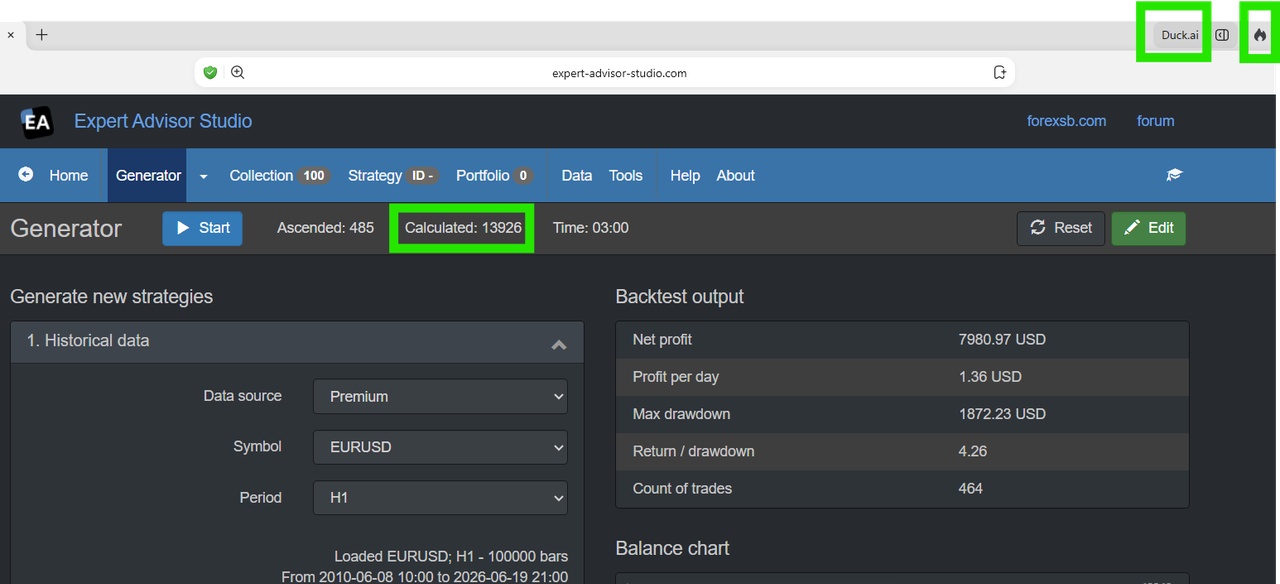
But strategy generation is really impressive in speed: around 4-5 times faster on average compared to Chrome

This is on H1..Same settings of course, same data interval, same bars, timeframe, acceptance criteria, same everything.

https://i.postimg.cc/NjhZyYYs/image.png

But sometimes on M15 or M30 also 4.5 or 5 times faster!

The browser is one of my favourites: DuckDuckGo.

Question 1: why such huge difference?
Question 2: do you know of additional browsers with even better speed? ;-)

Anyway, for those who did not know it, enjoy the discover

Re: Browser 4-5 Times Faster than Chrome in Generating Strategies

Is it just me that I can't open your screenshot?

Is your test done with 1 indicator only?

Re: Browser 4-5 Times Faster than Chrome in Generating Strategies

you should see now the image in the first post.

Done with all recommended indicators.

Re: Browser 4-5 Times Faster than Chrome in Generating Strategies

poteree wrote:

Question 2: do you know of additional browsers with even better speed? ;-)

Anyway, for those who did not know it, enjoy the discover

Brave was faster than Chrome and Edge for me too. But even faster is Express Generator. I don't bother with the browser anymore. ;-)

Re: Browser 4-5 Times Faster than Chrome in Generating Strategies

Poteree, it is not possible for DugDugGo to be 4-5 times faster than Chrome, Edge, or Safari.

How to test:

1) Open EA Studio in Incognito mode without any browser addons.
2) Reset the EA Studio settings, empty the Collection, and load EURUSD H1.
3) Close any other programs and browser tabs.
4) Run the Generator and wait silently without breathing. Do not touch anything, because everything matters smile

Make a skreen shot.

Load the next browser, and do absolutely the same steps in the same order.

Re: Browser 4-5 Times Faster than Chrome in Generating Strategies

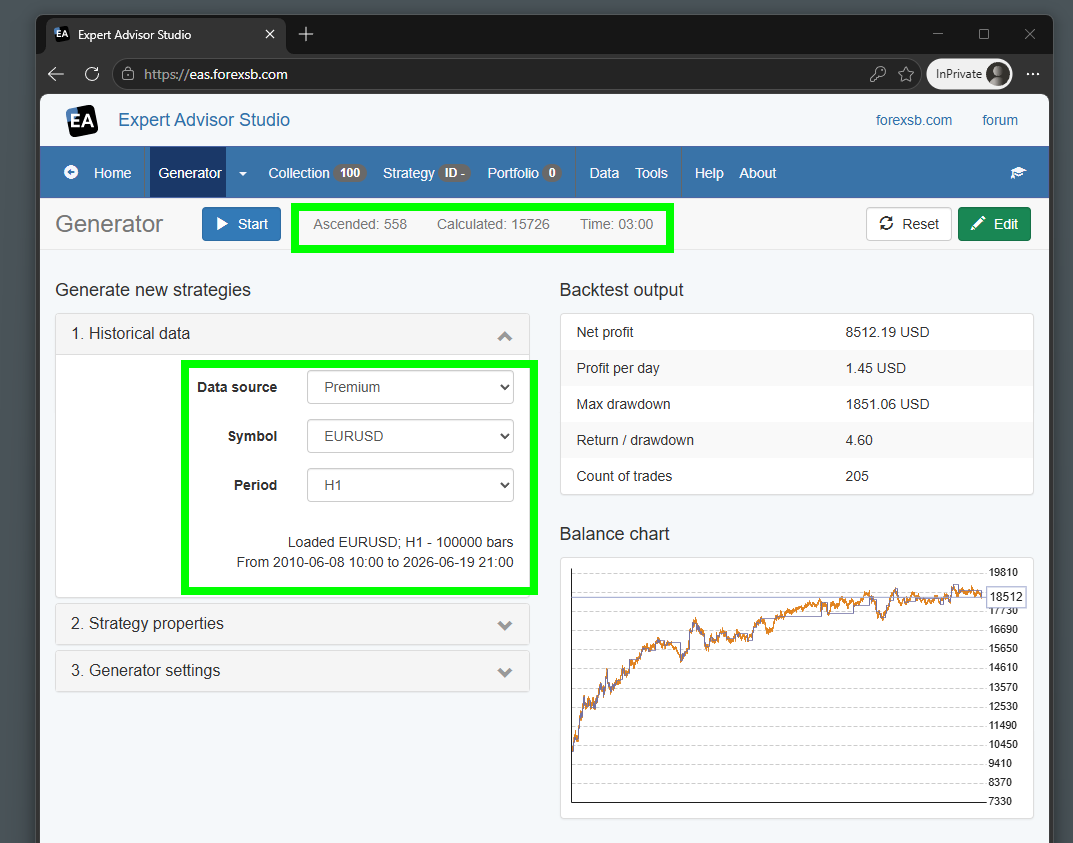
This is the fastest of the three runs in Edge on my 3-year-old, mid-class developer machine.
CPU: Intel i5-13500, RAM 32GB

https://image-holder.forexsb.com/store/ea-studio-benchmark-default-settings-thumb.png


Share your results!

Re: Browser 4-5 Times Faster than Chrome in Generating Strategies

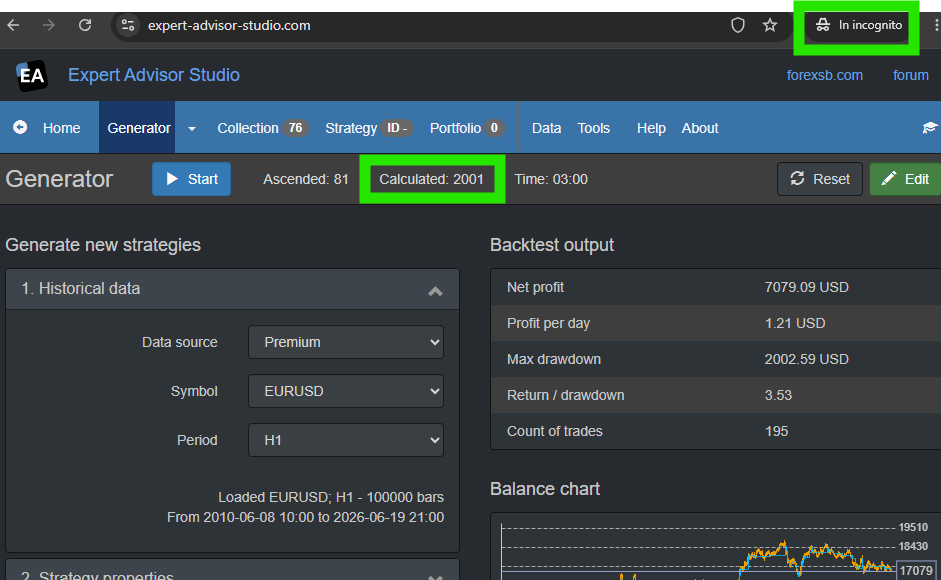
here's results on H1 as you shown from your screenshot

DUCKDUCKGO (fire window, like incognito)
https://i.postimg.cc/sxNSfS6w/image.png

CHROME (incognito mode) last Version released by Google 149.0.7827.114, no extensions
https://i.postimg.cc/tJXDnhzd/image.png

8 (edited by poteree 2026-06-21 19:13:56)

Re: Browser 4-5 Times Faster than Chrome in Generating Strategies

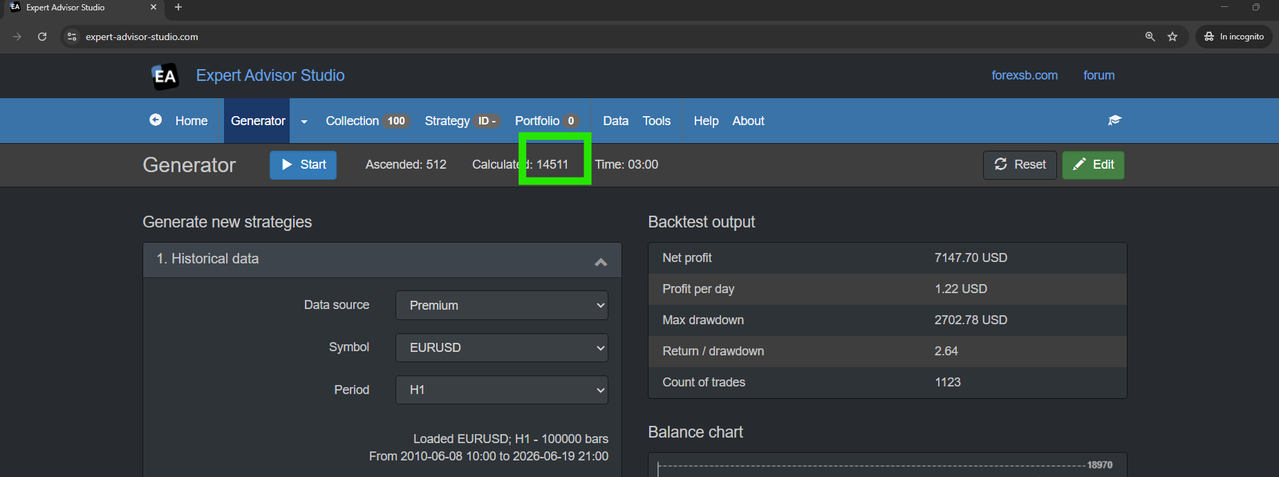
new test after turning off a function I reminded to have in a software that put applications in Working mode by saving RAM.

So:
Chrome jumped to 14511 generated now
https://i.postimg.cc/9QjPDPF5/image.png


while DuckDuck remain similar to previous test (13922 now).

So, unfortunately, no discovery of better speed improvement, probably that program reduced the allocated RAM for Chrome without reducing it also to DuckDuckGo.

I wish I could find such 4-5 times improvement in a browser!!

Re: Browser 4-5 Times Faster than Chrome in Generating Strategies

> I wish I could find such 4-5 times improvement in a browser!!

It looks like you already have discovered one!

Re: Browser 4-5 Times Faster than Chrome in Generating Strategies

I am using these special settings for Chrome to make it faster for EAS.

Create .bat file e.g. StartChrome.bat and paste this into .bat file:

"C:\Program Files\Google\Chrome\Application\chrome.exe" --disable-background-timer-throttling --disable-renderer-backgrounding --disable-backgrounding-occluded-windows --gpu-no-context-lost --disable-features=UseEcoQoSForBackgroundProcess,IntensiveWakeUpThrottling,CalculateNativeWinOcclusion

Re: Browser 4-5 Times Faster than Chrome in Generating Strategies

There are several Keep Alive extensions in Chrome web store that can be userful:

https://chromewebstore.google.com/detail/page-keep-alive/lkballmgonbgdmmhmgjljfeobibajocm