<?xml version="1.0" encoding="utf-8"?>
<feed xmlns="http://www.w3.org/2005/Atom">
	<title type="html"><![CDATA[Forex Software — Max Spread Protection in the Backtester]]></title>
	<link rel="self" href="https://forexsb.com/forum/feed/atom/topic/9992/" />
	<updated>2025-09-18T05:47:10Z</updated>
	<generator>PunBB</generator>
	<id>https://forexsb.com/forum/topic/9992/max-spread-protection-in-the-backtester/</id>
		<entry>
			<title type="html"><![CDATA[Max Spread Protection in the Backtester]]></title>
			<link rel="alternate" href="https://forexsb.com/forum/post/82817/#p82817" />
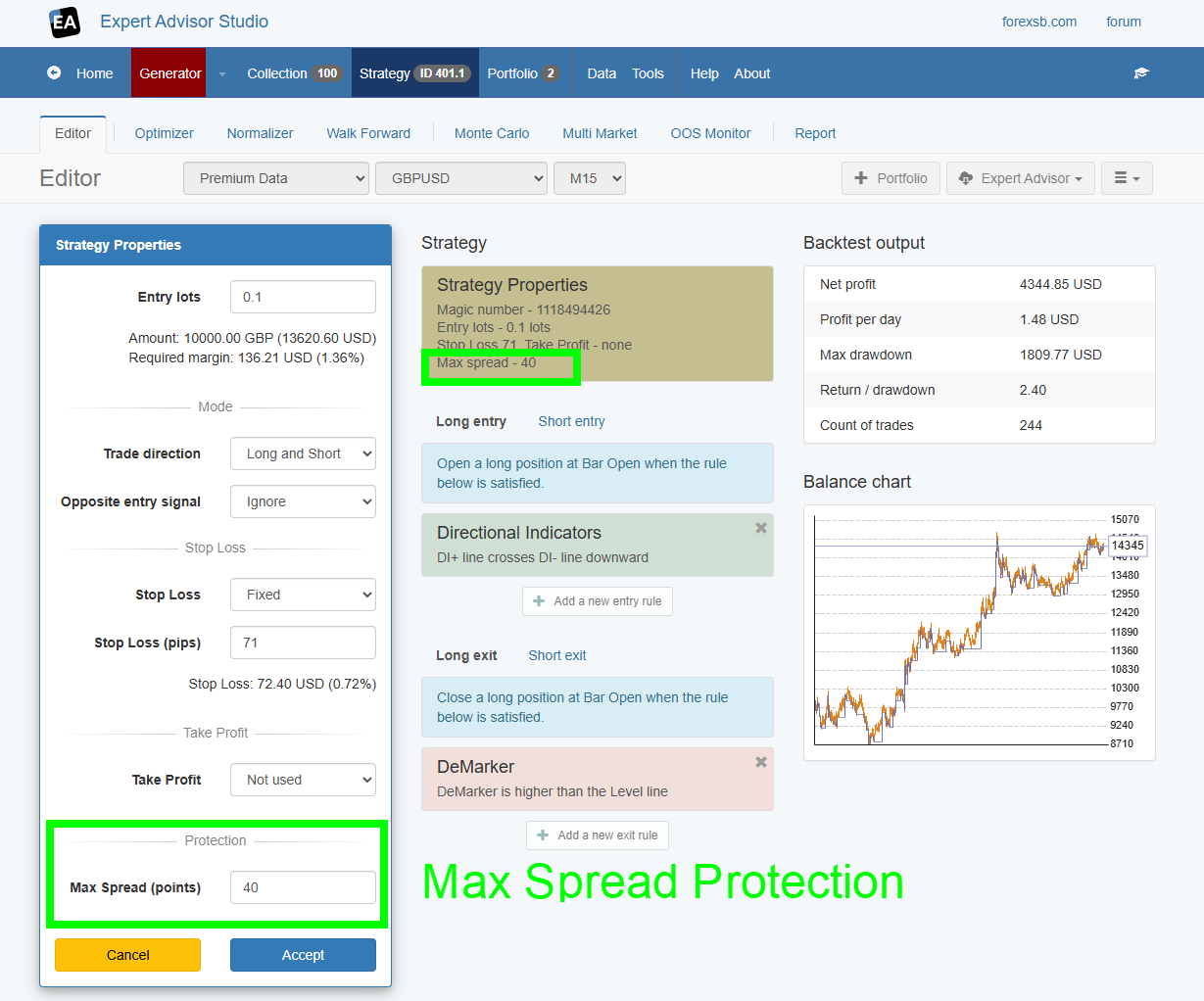
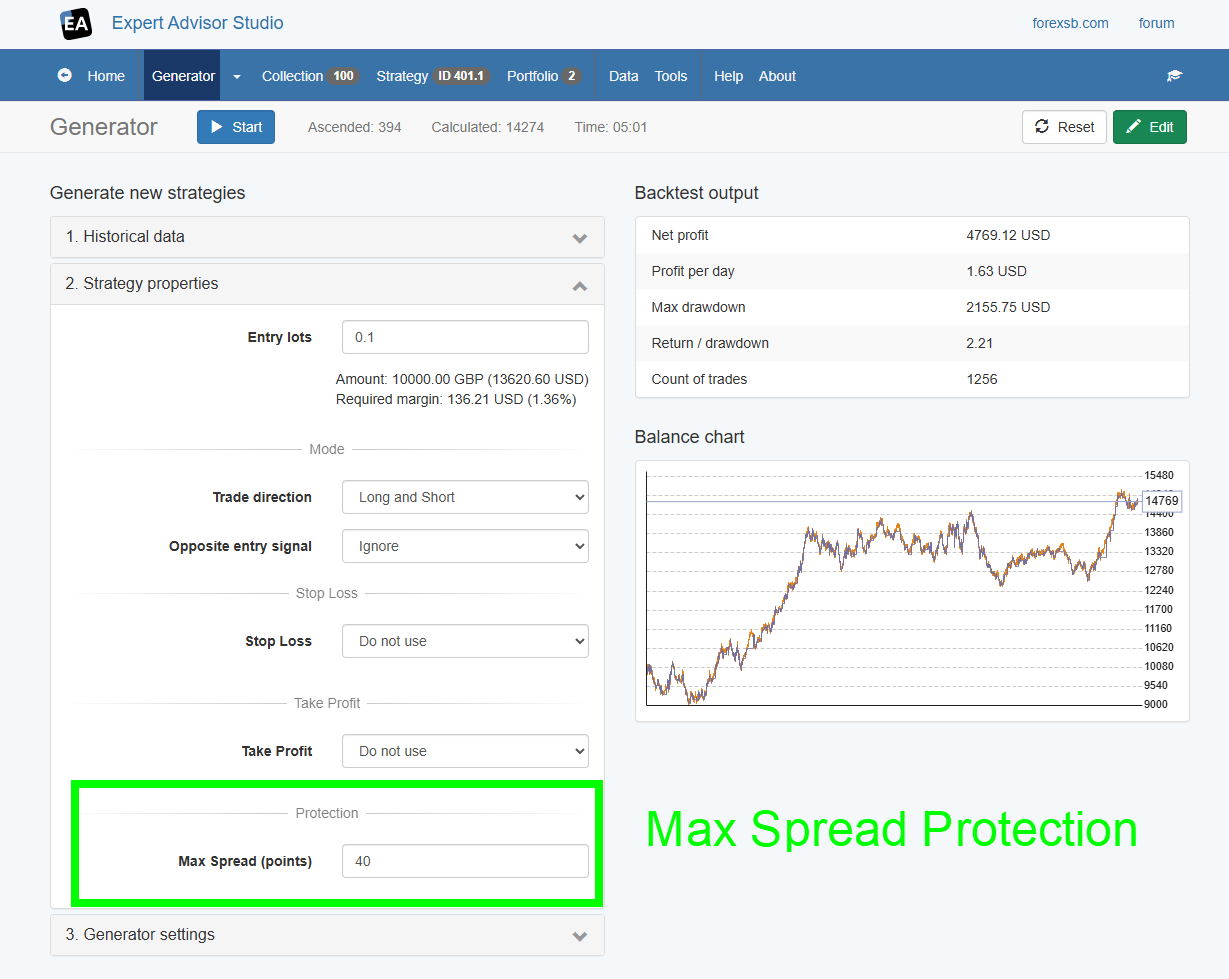
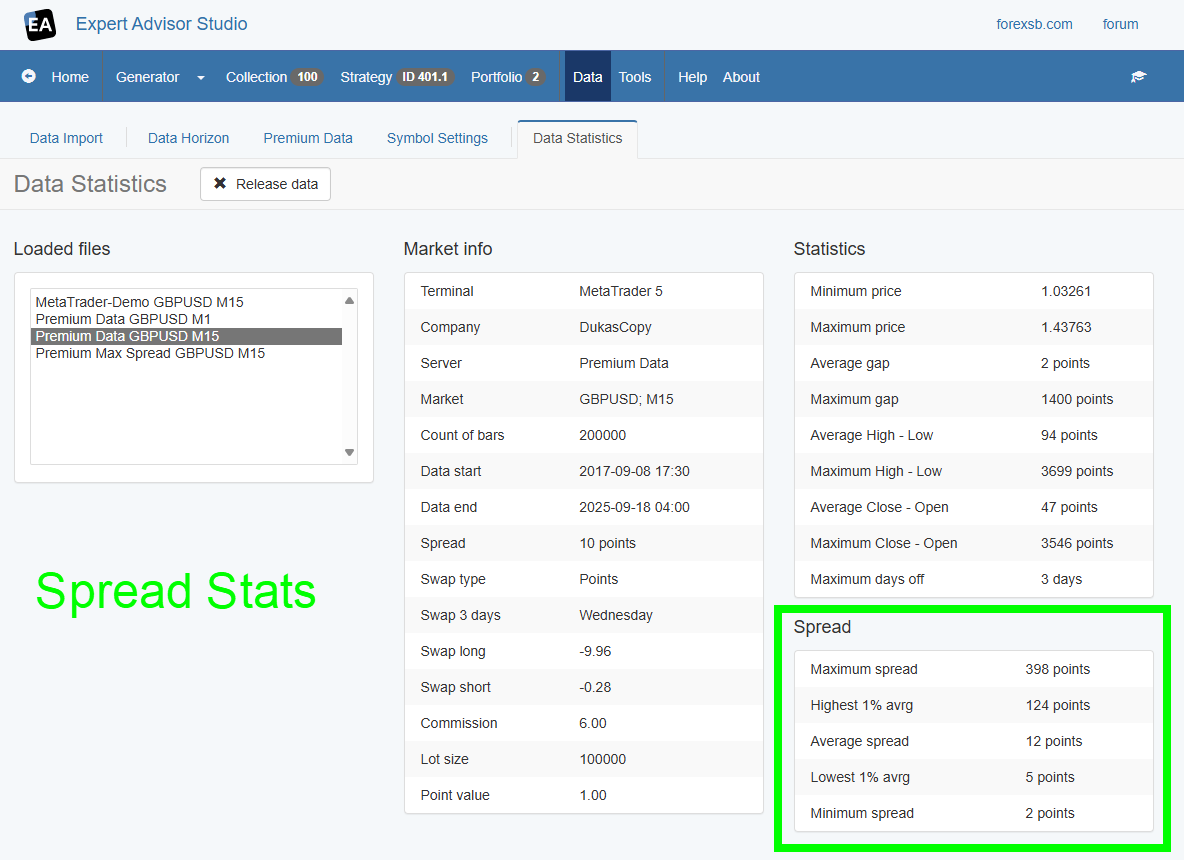
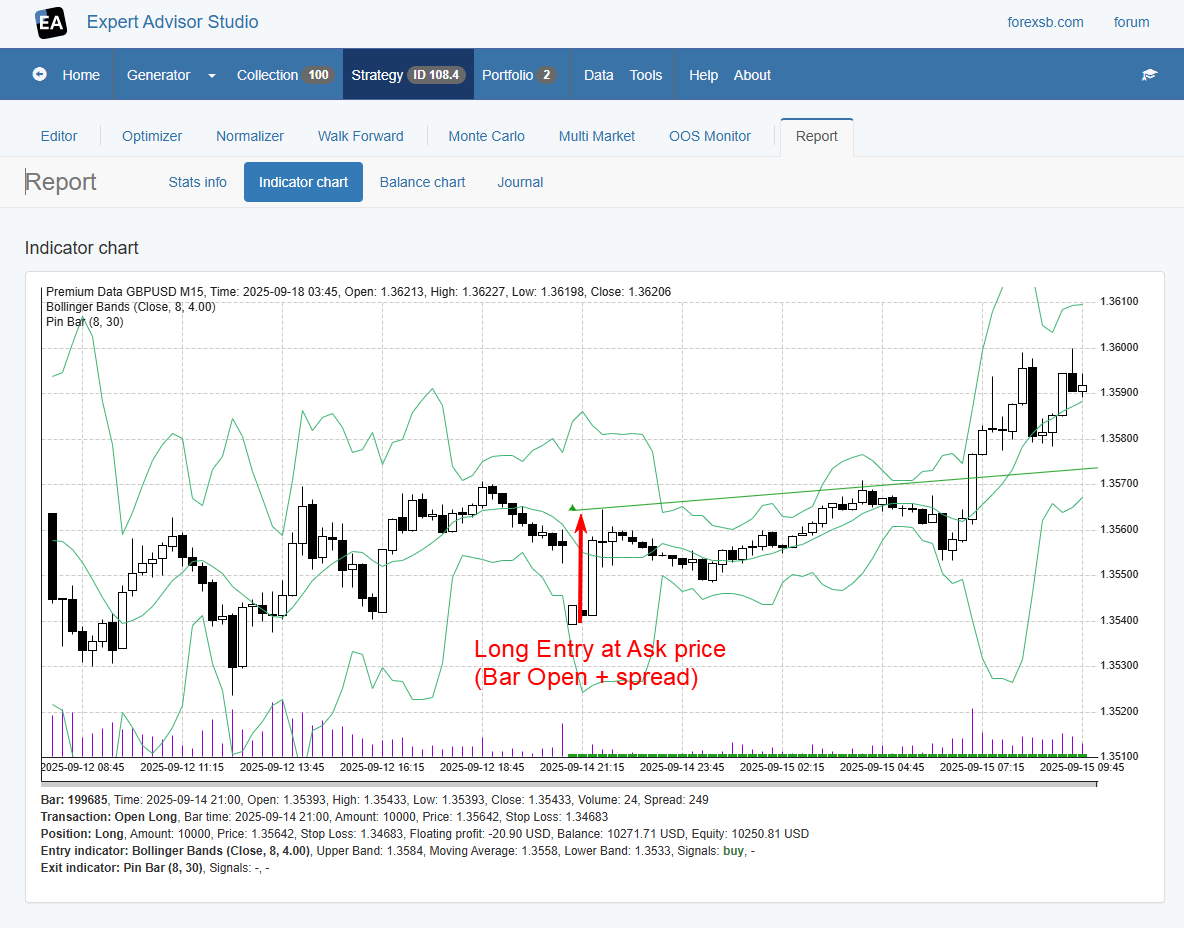
			<content type="html"><![CDATA[<p>Hello, Traders,</p><p>As you know, the historical data provided in the EA Studio dynamic spread. You also have a dynamic spread when you import data from MetaTrader 5. MetaTrader 4 does not provide spread information, so I strongly recommend that you switch to MetaTrader 5.</p><p>Now, EA Studio accepts <strong>Max Spread</strong> protection parameters in the Strategy Properties and in the Generator, and calculates them correctly during the backtest.</p><p>When used, the Max Spread protection prevents the opening of new positions when the data spread is higher than the protection value.</p><p>It prevents overestimated backtests for strategies that exploit data gaps. Such strategies use Bollinger Bands, Envelop, or Donchian Channel indicators and trade against that gap. </p><p>The problem in such cases is that the spread on a gap is much higher than usual, and it reduces the potential profit.</p><p>With the Max Spread protection, we can eliminate such entries in both backtesting and real-time trading in MetaTrader.</p><br /><p><strong>Max Spread Protection in Strategy Properties</strong></p><p>We can set the Max Spread Protection in the Strategy Properties.<br />EA Studio calculates and updates the backtest stats in real-time when we change it.</p><p>We set the protection in Points. Zero means that the protection is off.</p><p><a href="https://image-holder.forexsb.com/store/ea-studio-editor-max-spread-protection.png"><span class="postimg"><img src="https://image-holder.forexsb.com/store/ea-studio-editor-max-spread-protection-thumb.png" alt="https://image-holder.forexsb.com/store/ea-studio-editor-max-spread-protection-thumb.png" /></span></a></p><br /><p><strong>Max Spread Protection in the Generator and the Reactor</strong></p><p>You can set Max Spread protection values in the Generator. By doing that, it will preset this protection in the created strategies.</p><p><a href="https://image-holder.forexsb.com/store/ea-studio-generator-max-spread-protection.png"><span class="postimg"><img src="https://image-holder.forexsb.com/store/ea-studio-generator-max-spread-protection-thumb.png" alt="https://image-holder.forexsb.com/store/ea-studio-generator-max-spread-protection-thumb.png" /></span></a></p><p><strong>Spread Statistics</strong></p><p>We introduced spread statistics in the Data -&gt; Data Stats page.</p><p>It shows the maximum, minimum, and average spread.</p><p>We also calculate and show the Highest and the Lowest 1% average spread.</p><p>These real spread statistics help us to choose a proper value for the Max Spread Protection.</p><p>I recommend you use a value between the Average Spread and the Highest average 1% values.</p><p><a href="https://image-holder.forexsb.com/store/ea-studio-data-statistics-spread-stats.png"><span class="postimg"><img src="https://image-holder.forexsb.com/store/ea-studio-data-statistics-spread-stats-thumb.png" alt="https://image-holder.forexsb.com/store/ea-studio-data-statistics-spread-stats-thumb.png" /></span></a></p><p><strong>Updated Indicator Chart</strong></p><p>The Indicator chart now correctly draws the entry values of the long positions at the Ask price. </p><p>We see how big the spread is in the screenshot below. It makes it very dangerous to trade during significant gaps without entry protections.</p><p><a href="https://image-holder.forexsb.com/store/eas-indicator-chart-long-position-entry-at-ask.png"><span class="postimg"><img src="https://image-holder.forexsb.com/store/eas-indicator-chart-long-position-entry-at-ask-thumb.png" alt="https://image-holder.forexsb.com/store/eas-indicator-chart-long-position-entry-at-ask-thumb.png" /></span></a></p><p>Please, experiment with this new feature and share your opinion.</p><p>Have a pleasant and productive trading session!</p>]]></content>
			<author>
				<name><![CDATA[Popov]]></name>
				<uri>https://forexsb.com/forum/user/2/</uri>
			</author>
			<updated>2025-09-18T05:47:10Z</updated>
			<id>https://forexsb.com/forum/post/82817/#p82817</id>
		</entry>
</feed>